Starting July 12th 2021, the PSU converter boards for SGI Fuel will no longer be available to order via eBay.
eBay has implemented some changes to their selling system that made it increasingly difficult to sell stuff, and despite my attempts to resolve it with their support – was unable to fix anything.
My boards are still in stock, available to order on Tindie:
https://www.tindie.com/products/kubatyszko/sgi-fuel-atx-power-supply-converter-new-version/
I also accept direct orders (it’s very easy to figure out how to contact me). Payment via PayPal or Credit Card via Stripe.
Pyramid PS36KX is one of the few power supplies I have for my radios. Recently I decided to consolidate and hook up more radios to a single PSU via powerpoles, it makes everything easier.
One problem with the Pyramid is noise, it’s *extremely* loud, with just a single fan.
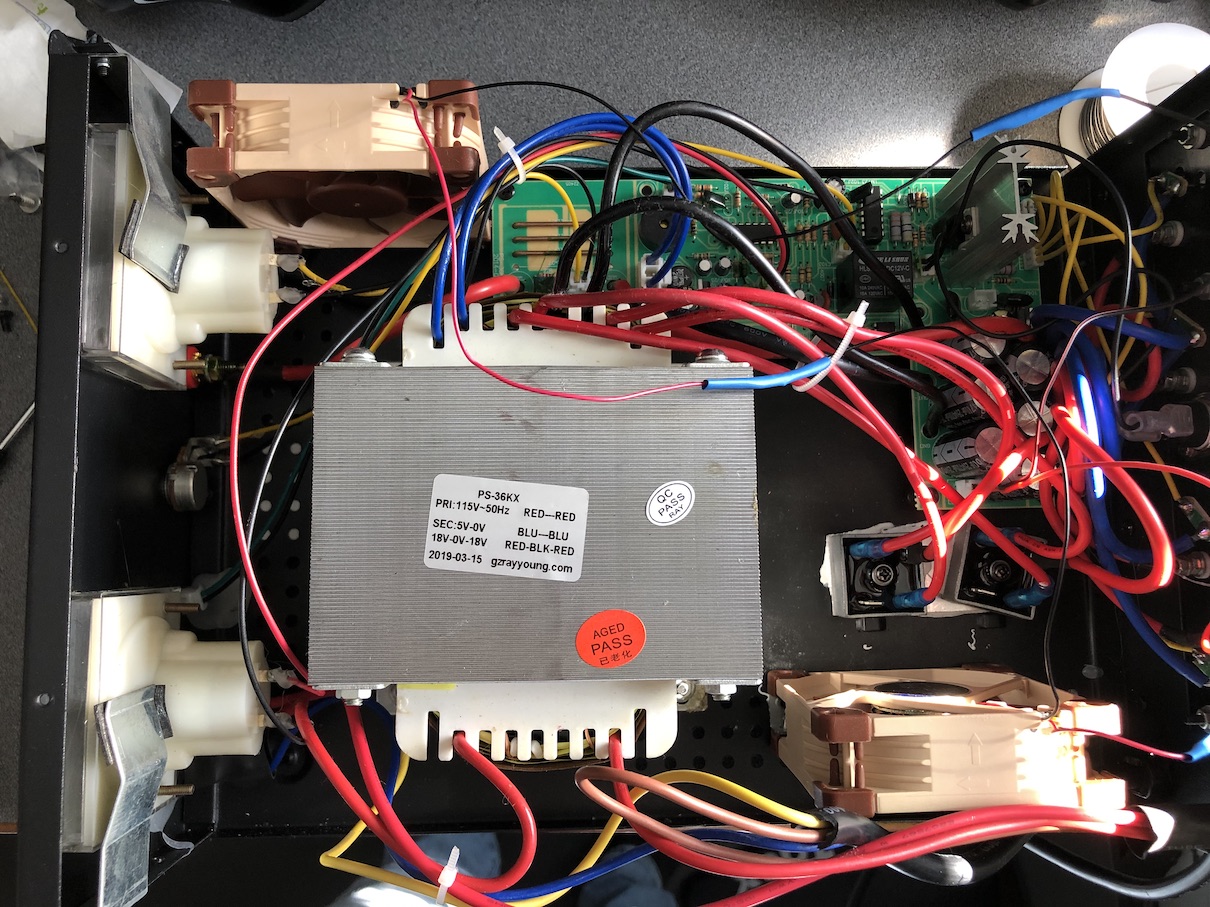
Pop goes the chassis, one cheapo 24V fan is the culprit, no speed control, only 2 wires.
Quick throwback to computer days, and here come TWO 12V quiet noctua fans, I used the NF-A8-FLX model which come with lots of options by default, including rubber dampeners.
Both fans are connected in series to make them work under 24V, I cut the yellow (RPM sense) wire, hooked up both fans and installed them.
One went in place of the original 24V fan, and another across the case, near the AMP gauge.
I did have to drill 2 holes in the chassis to attach the new fan, and it doesn’t perfectly overlap with the holes in the top case, but it’s good enough.
Overall cost was pretty low, some labor and cost of two quality fans, but the result is stunning, near absolute silence, makes a lot of difference listening to the radio.
Update 2024. The PSU broke at some point, seems like a common failure – the RED Overload LED was on and the buzzer was beeping.
I ended up replacing the NTE Rectifier with an NTE5556-I version and the PSU is back in business!
I kept at it, and got it to work without any static configuration (but still have to use NAT)
I still need the NAT rule, and what’s strange is that the workstation gets IP address from /56 prefix (which is configured as the WAN prefix on the modem):
I’ve had cable Internet from Spectrum for about 3 years now, and about a year ago I started using pfSense as additional firewall (it’s easier for me with many VPN’s that I use, since I can terminate IPSec and OpenVPN on the pfSense).
Thing is, the IPV6 never worked for me via pfSense for some reason.
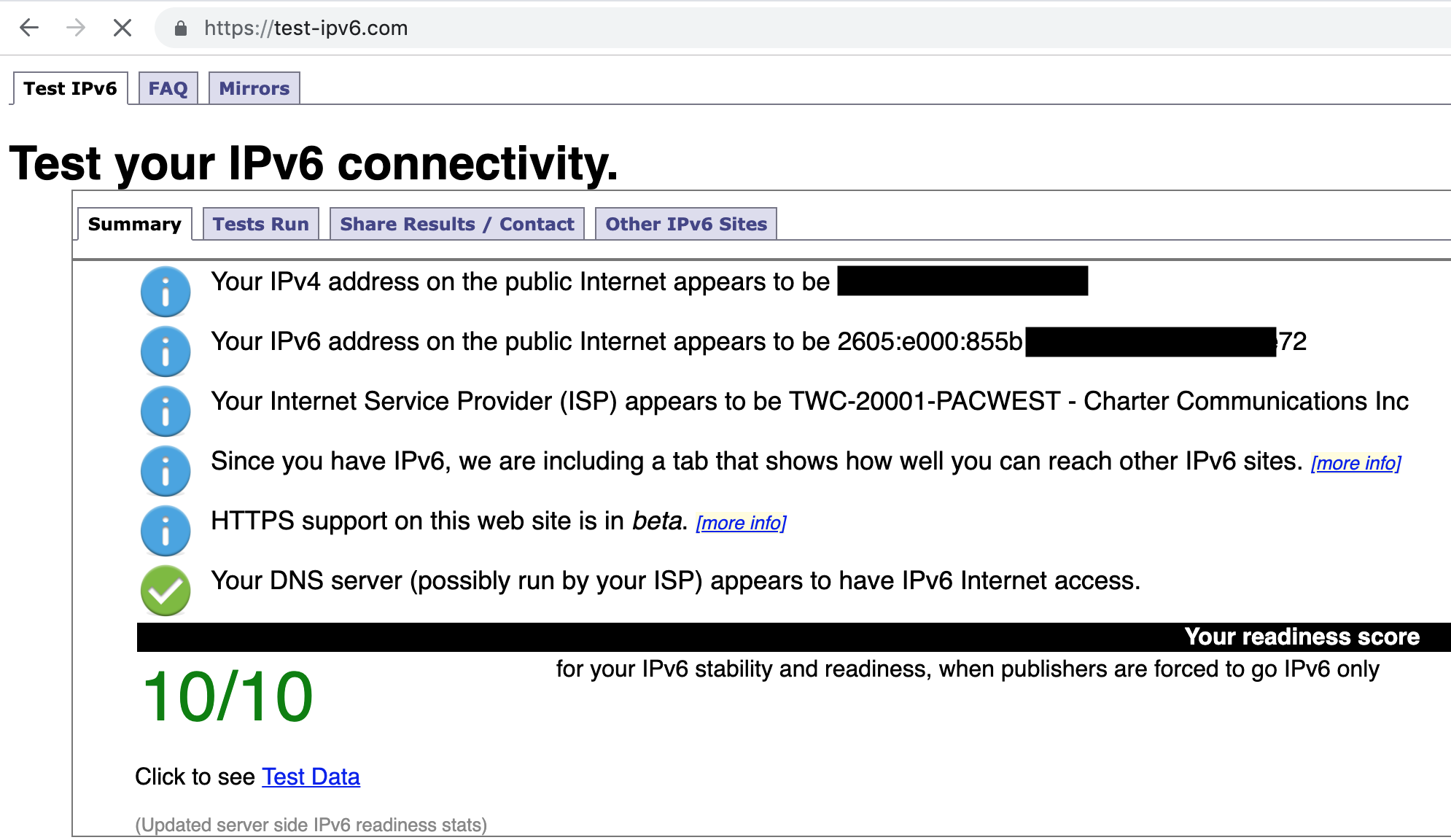
Time has come to solve it, and after 2 evenings, success (and I’m 90% satisfied, but that has to do for now).
Some facts:
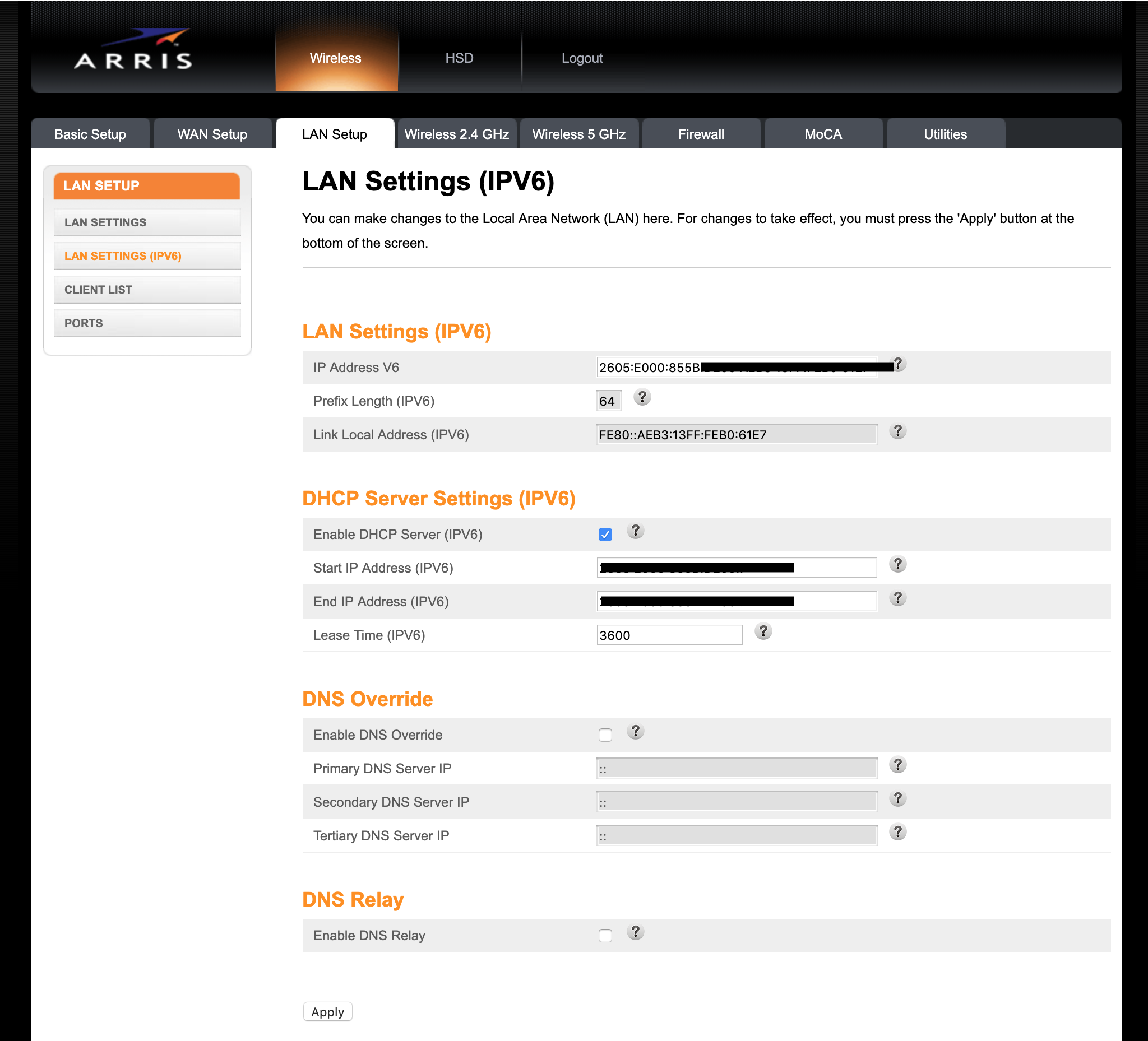
Arris modem from Spectrum DOES give proper IPV6 via DHCPv6 to its direct clients
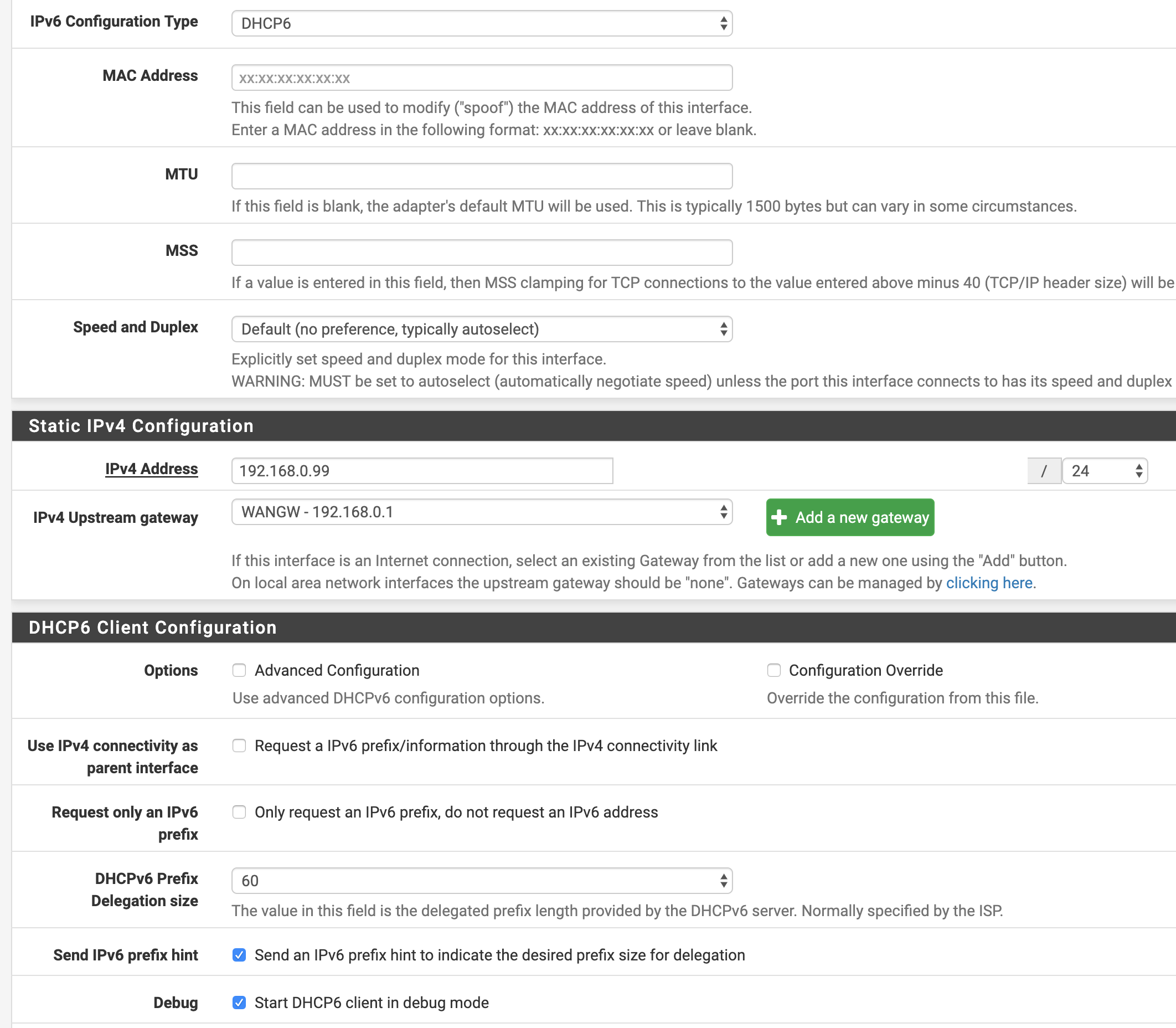
My pfSense on the WAN interface, when set up with either “None” or “/56” as IPV6 prefix DOES get IPV6 address from the modem.
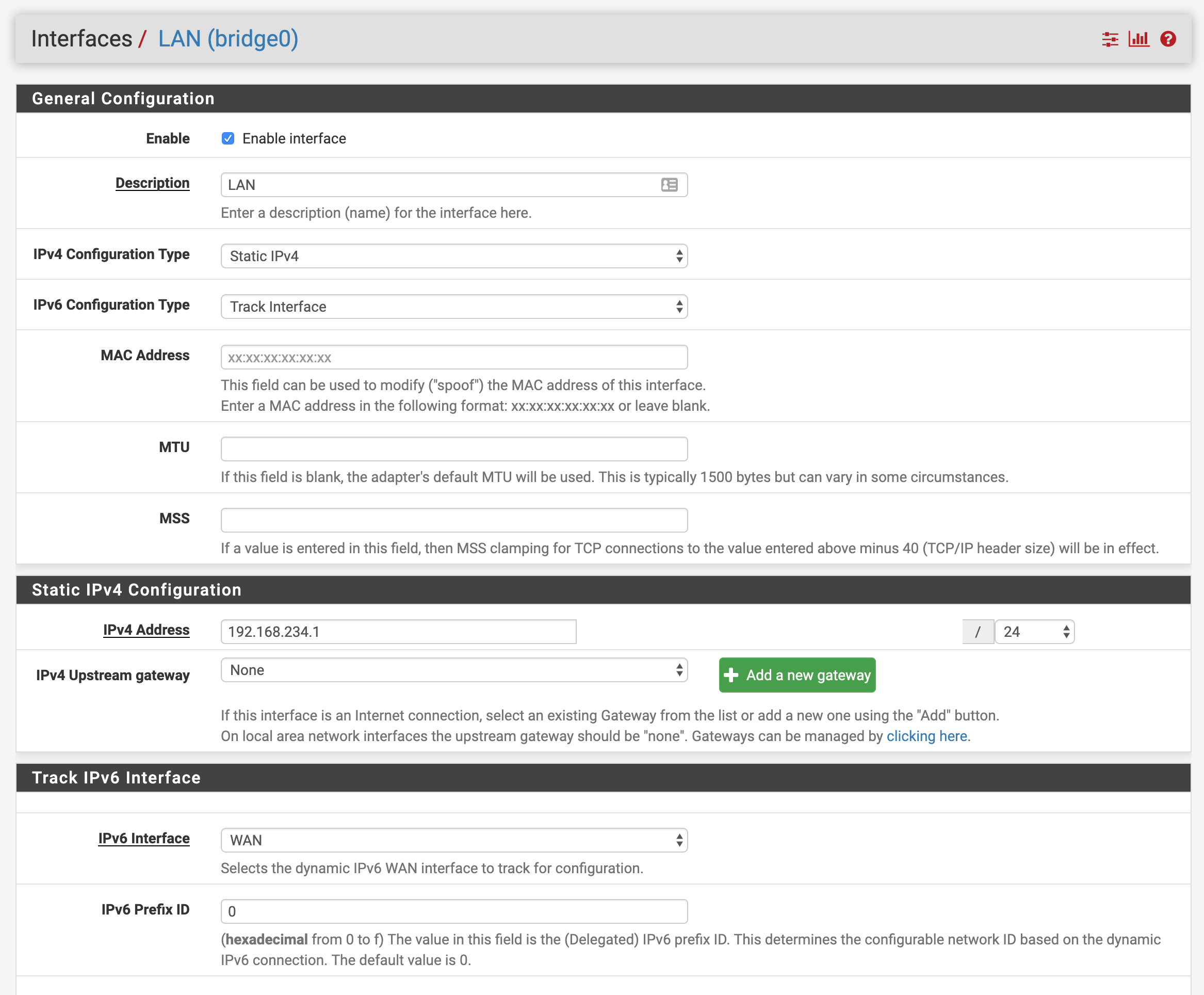
Following various guides, it should be as simple as setting my LAN interface on pfSense to “track” the WAN interface, but to no avail, my clients behind pfSense cannot receive IP address, and I’ve tried all options: default settings, DHCPv6 Relay, DHCPV6 Server and RA with various settings.
Arris modem gets its “WAN” ip address with prefix of /56 and has prefix delegation set to /64, so that should leave me with plenty of /64 subnets to give away.
The catch – pfSense on its WAN interface (DHCPv6) gets its prefix as /128 – so that leaves me with nothing to hand over further. I tried various settings, checking the prefix hints etc, with no luck.
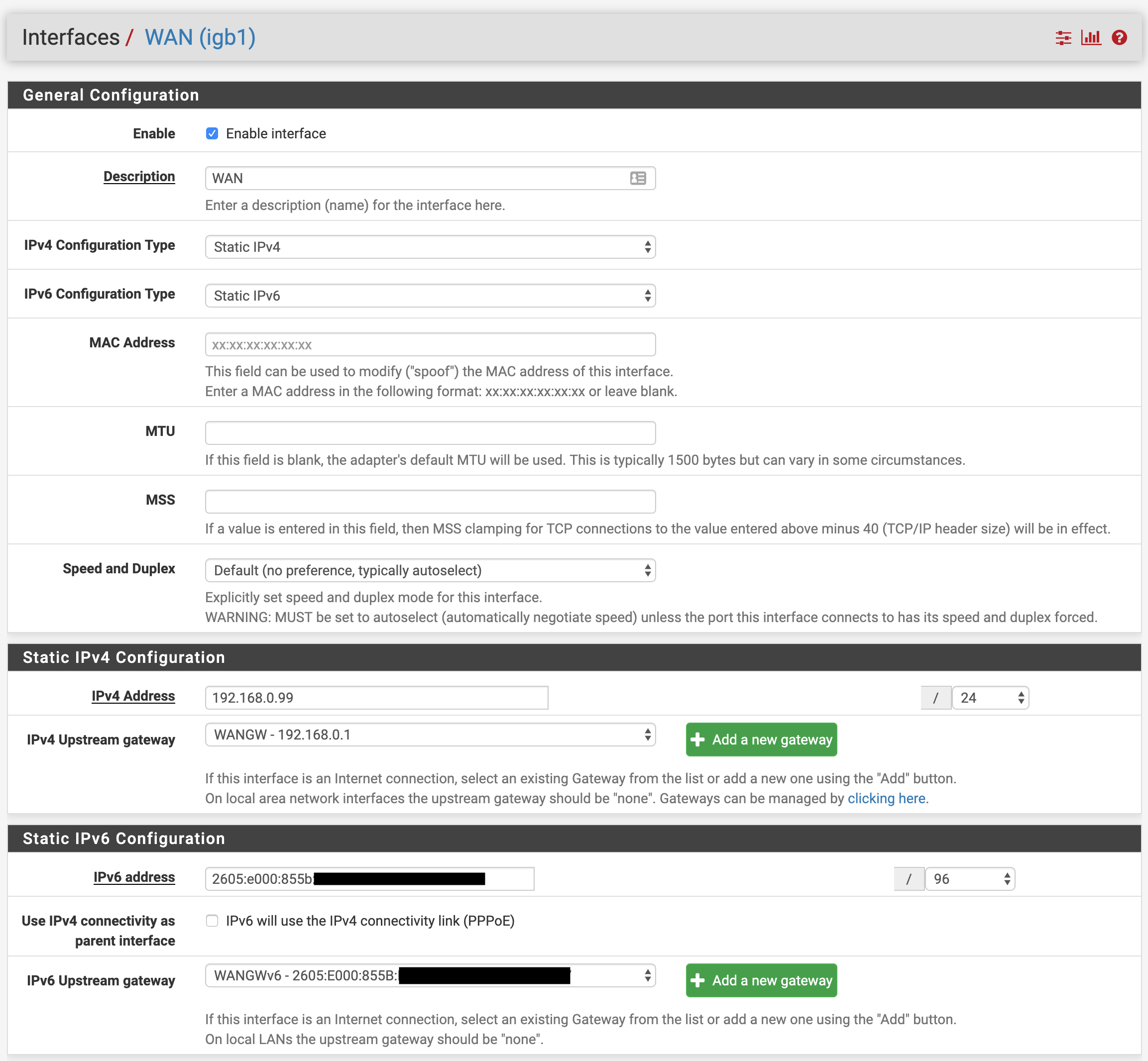
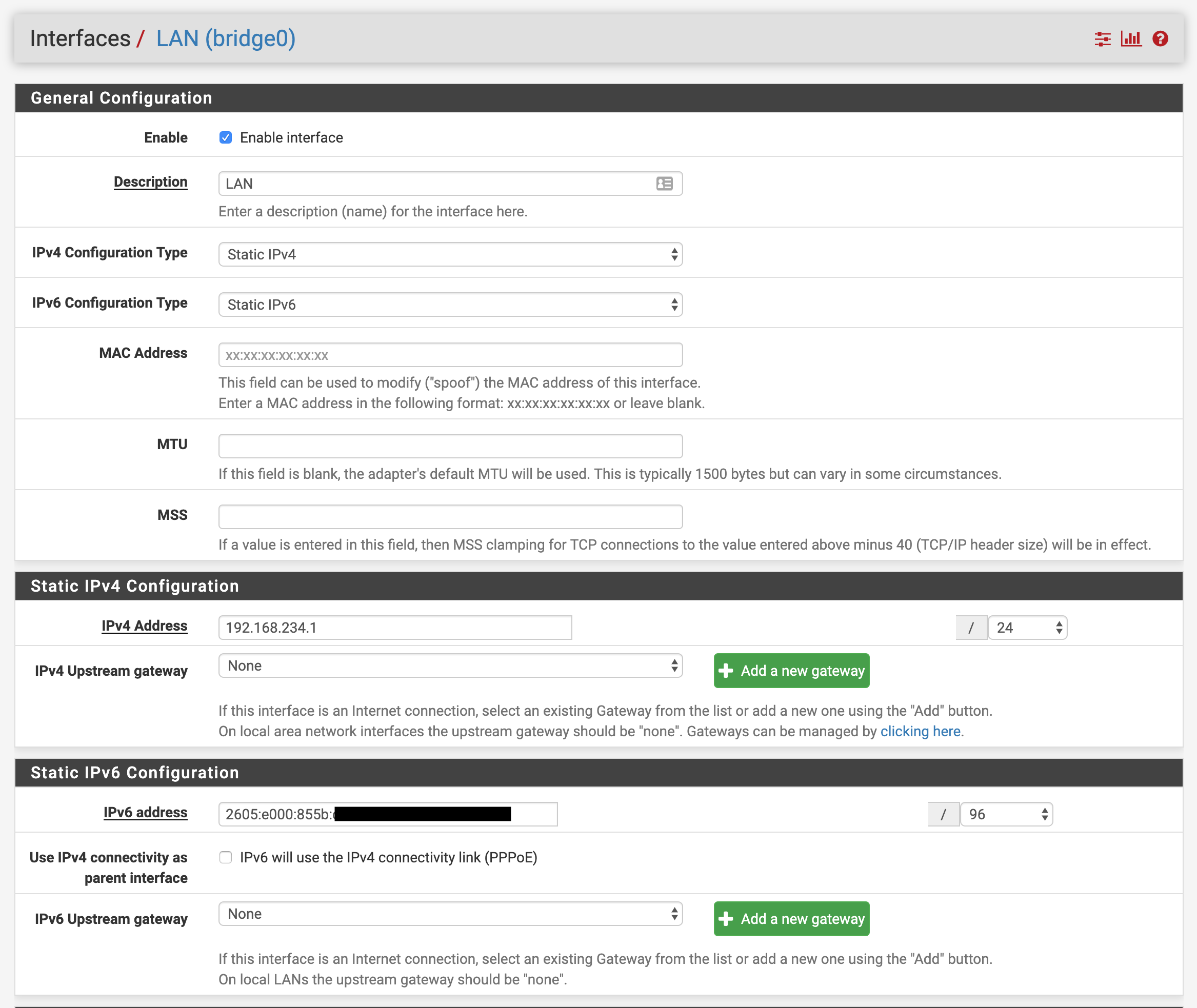
Then time came for Static IPV6, so I’ve set my WAN address on pfSense to some address within the range (it’s perfectly fine to set it to whatever you’d get via DHCPV6) but with smaller subnet prefix, /96 in my case , then set LAN address to another IP address (also with /96 prefix, but in a non-colliding subnet to the WAN address, I’ve simply set the 5th hextet/group to ffff with my WAN’s hextet starting with c… ).
2 more things I needed to set, was to enable DHCPv6 server on pfSense, with range to having last 2 hextets empty (::), that’s enough IP’s for my home, then in the the Router Advertisements, set Router Mode to Assisted.
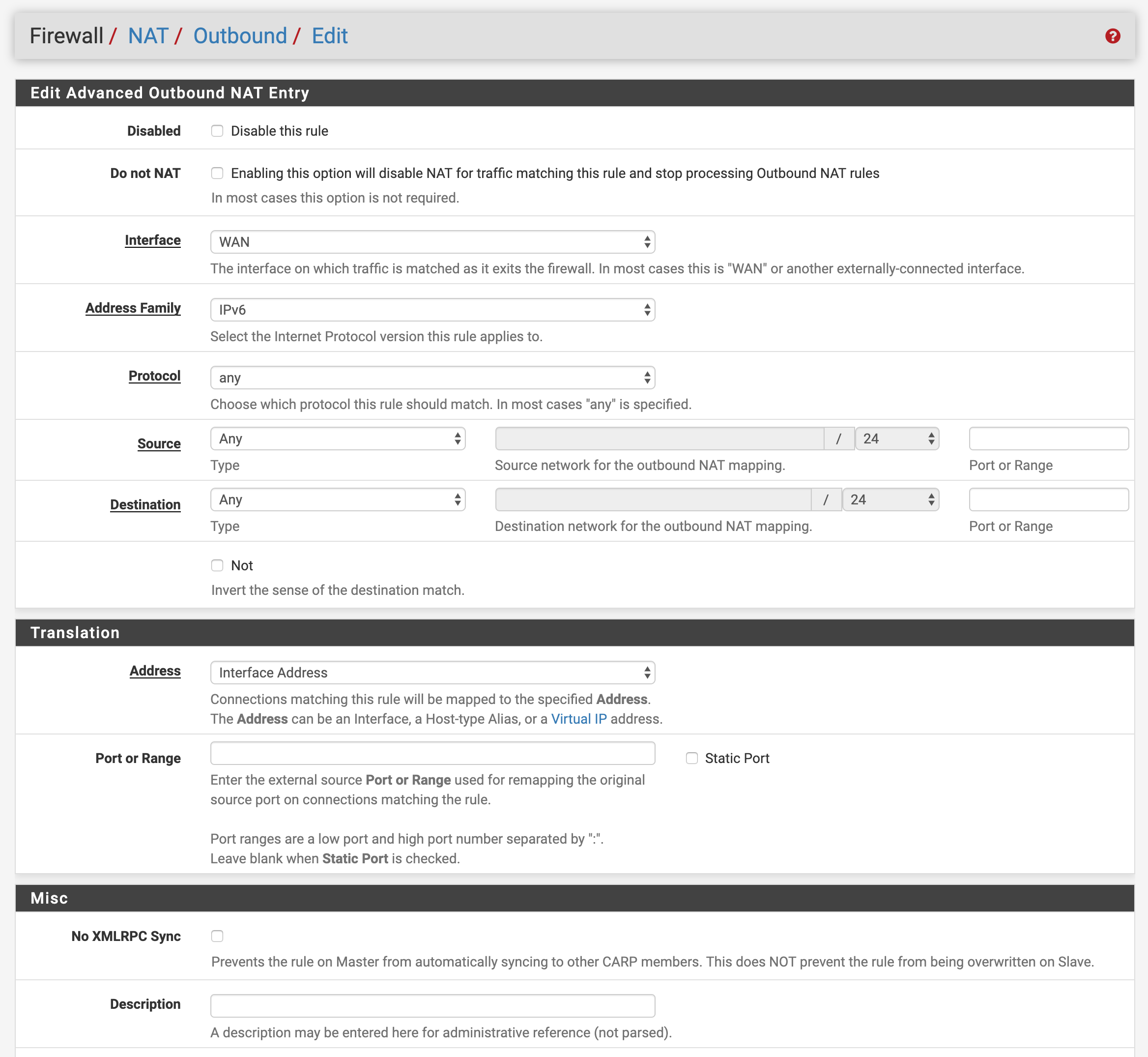
Second thing (which is why I’m not 100% happy) was to enable IPV6 NAT, since I’m effectively bypassing any prefix delegation etc. That was a simple IPV6 NAT rule and voila, we have connectivity.